CrImage::Operation::MaskApply
Apply a mask to an image
Taking sample image:

And mask
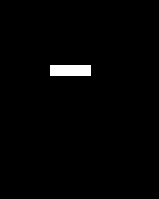
mask = CrImage::Mask.new(image, false)
mask[50..90, 65..75] = true
mask.to_gray.save("apply_mask_mask.jpg")

image.apply(mask).save("apply_mask.jpg")

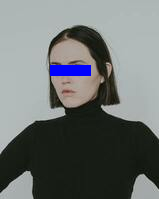
image.apply_color(mask, CrImage::Color.of("#00f")).save("apply_mask_color.jpg")

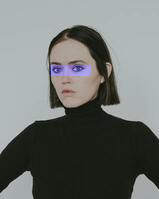
image.apply(mask) do |pixel, channel_type, x, y|
  Math.min(255, pixel + 50).to_u8 if channel_type.blue?
end.save("apply_mask_block.jpg")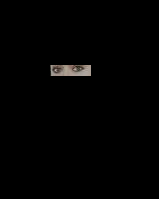
Instance methods
apply(mask : Mask, &block : UInt8, ChannelType, Int32, Int32 -> UInt8 | Nil) : self
Apply block to all pixels that match mask, replacing pixel value if block returns non-nil value.
Does not change values not matched by the mask
apply!(mask : Mask) : self
TODO: add apply version that accepts 1+ ChannelType that the mask should apply to (i.e. make a background completely transparent, not just transparent black)
apply!(mask : Mask, &block : UInt8, ChannelType, Int32, Int32 -> UInt8 | Nil) : self
Sourceapply_color(mask : Mask, color : Color) : self
Change the color of all pixels that match the mask
apply_color!(mask : Mask, color : Color) : self
Source