github.com/samueleaton/sentry
1.0.0 / published Oct 19, 2016 / repository
Build/Runs your crystal application, watches files, and rebuilds/restarts app on file changes
Sentry 🤖
Build/Runs your crystal application, watches files, and rebuilds/reruns app on file changes
Installation
To install in your project, from the root directory of your project, run:
curl -fsSLo- https://raw.githubusercontent.com/samueleaton/sentry/master/install.rb | rubyThis install script is just a convenience. If it does not work, simply: (1) place the file located at src/sentry.cr into a your project at dev/sentry.cr, (2) replace any instances of [app_name] with your app name, and (3) compile sentry by doing crystal dev/sentry.cr -o ./sentry.
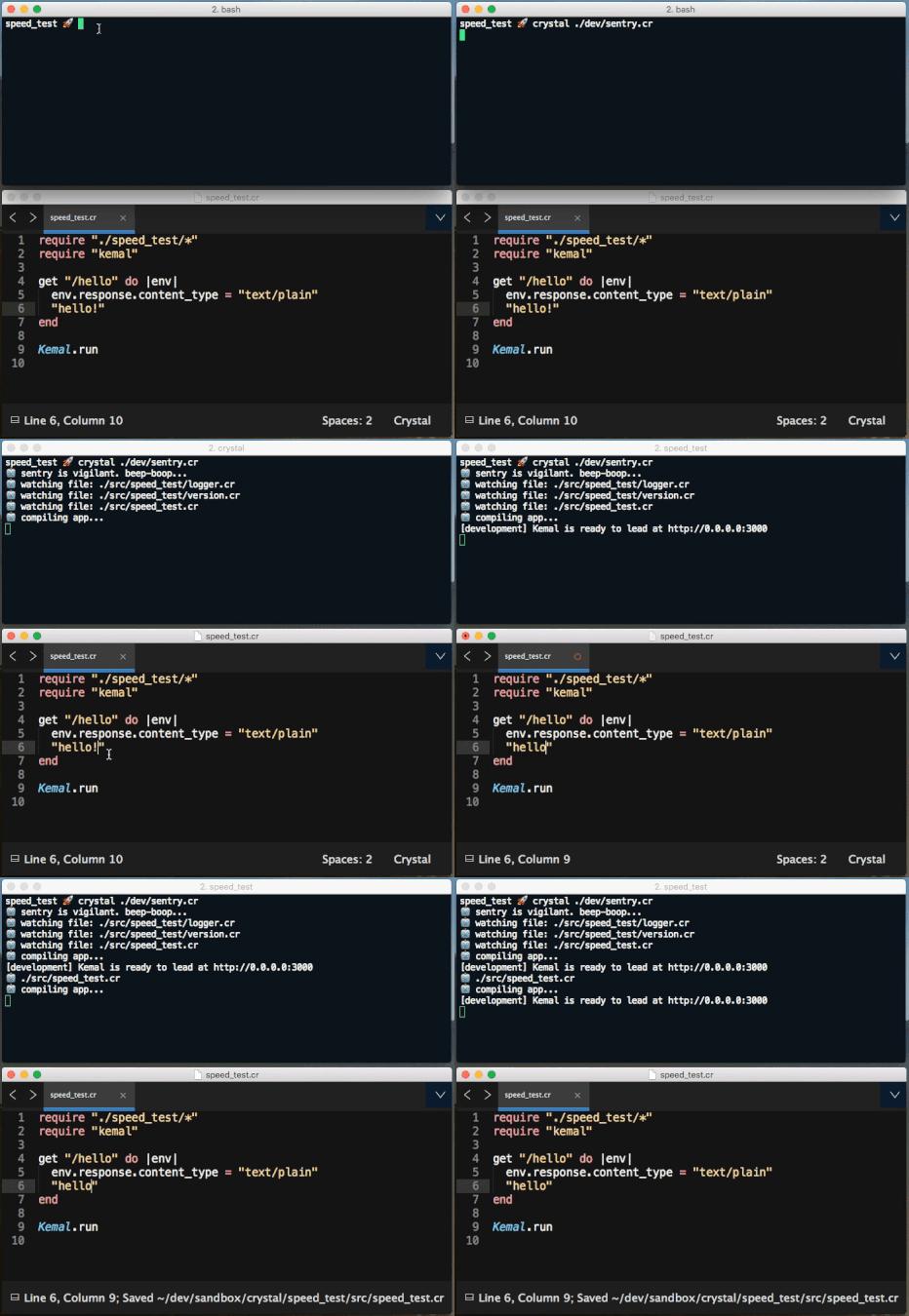
Usage
Assuming sentry.cr was correctly placed in [your project name]/dev/sentry.cr and compiled into the root of your app as sentry, simply run:
./sentry [options]Options
Show Help Menu
./sentry --helpOverride Default Build Command
./sentry -b "crystal build --release ./src/my_app.cr"The default build command is crystal build ./src/[app_name].cr. The release flag is omitted by default for faster compilation time while you are developing.
Override Default Run Command
./sentry -r "./my_app"The default run command is ./[app_name].
Override Default Files to Watch
./sentry -w "./src/**/*.cr" -w "./lib/**/*.cr"The default files being watched are ["./src/**/*.cr"].
By specifying files to watch, the default will be omitted. So if you want to watch all of the file in your src directory, you will need to specify that like in the above example.
Show Info Before Running
This shows the values for the build command, run command, and watched files.
./sentry -iExample
$ ./sentry -i

  build:  crystal build ./src/my_app.cr
  run:  ./my_app
  files:  ["./src/**/*.cr"]

🤖  sentry is vigilant. beep-boop...
...
...
Why?
(1) It is tiring to have to stop and restart an app on every change.
(2) Docker!
Stop and restarting your app is especially expensive (and annoying) when running the app in a docker container, where one would need to totally rebuild the docker image for every change.
Now, for development, simply run sentry in your docker container, and it will rebuild the app from the docker container on any changes, without rebuilding the docker image/container.
Contributing
- Fork it ( https://github.com/samueleaton/sentry/fork )
- Create your feature branch (git checkout -b feat/my-new-feature)
- Commit your changes (git commit -am 'Add some feature')
- Push to the branch (git push origin feat/my-new-feature)
- Create a new Pull Request
Contributors
- samueleaton Sam Eaton - creator, maintainer
Disclaimer
Sentry is intended for use in a development environment, where failure is safe and expected 😉.