github.com/CrunchyData/bridge-cli
3.7.2 / published Sep 17, 2026 / repository
CLI for Crunchy Bridge
cb
A CLI for Crunchy Bridge with very good tab completion.
Installation
- For homebrew (on macOS or linux)
brew install CrunchyData/brew/cb. This will install bothcband the fish shell tab completions for you. - For others, download the latest release,
put it somewhere in your path, and be sure to manually install shell tab
completions from the
completionsdirectory.
Getting started
First login to your Crunchy Bridge account by running cb login.
$ cb login
Press any key to open a browser to login or q to exit:
Waiting for login... done
Logged in as user@example.com
If you'd prefer to use an API key then you can create one for your
account and set the CB_API_KEY
environment variable.
Note: If the CB_API_KEY environment variable is set, then cb login will
not work until it is unset.
Usage
Once you are logged in, you can run cb list to see all of your clusters, and
cb psql <cluster id> to securely connect to your database or cb scope to
run health checks against it. There are many more commands that you can use to
manage things such as log destinations, firewall rules, and more.
To see what commands are available run cb --help, and to see more detailed
information for a given command add --help to it, for example cb create --help.
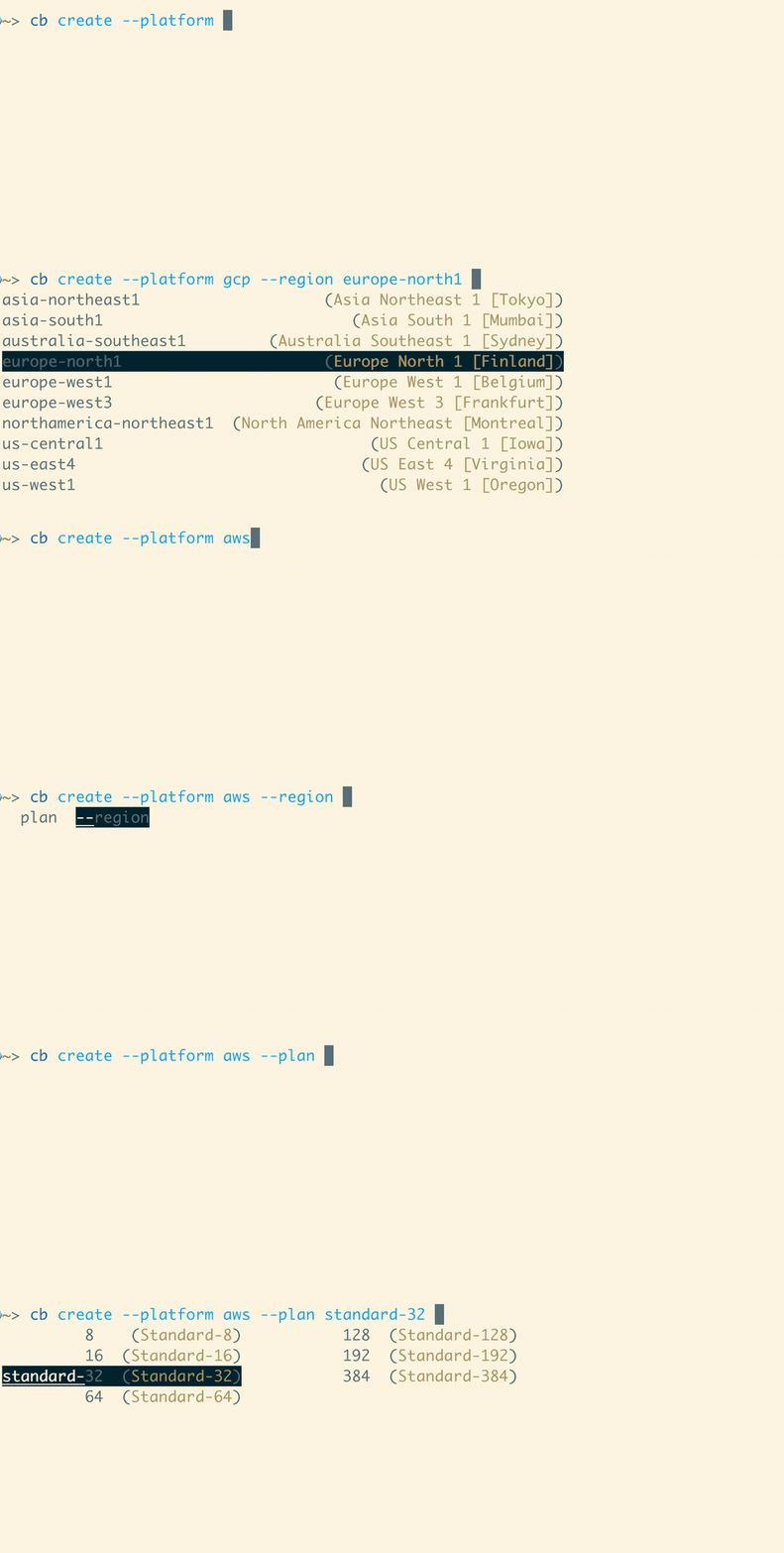
If you use the fish command line shell and have the completions installed for you (either automatically through homebrew or otherwise), nearly all arguments can be intelligently completed for you. This includes all cluster IDs available to just your account, in addition to normal subcommands and flags. Also where possible the current arguments you've given are taken into consideration. For example if you're creating a new cluster on AWS, instances sizes on Azure or regions in GCP will not be shown.
Development
Install dependencies: crystal
You can run quick checks by executing src/cli.cr directly. While this can be
handy, it is slow because the executable is being built each time, then
executed. To build a development version run make or shards build. The
binary will be at bin/cb by default. There is a helper script
dev_setup.fish which puts the local bin directory in your path so the cb in
that directory will be ran, as well as an scb alias for running src/cli.cr.
It will also set up completions for each.
crystal tool --format will format the code as required. It is useful to have
your editor run this for you on save.
testing
You can run crystal spec to run all of the specs, or make test to also run linting checks.
nix
If you install nix, the included flake devShell will automatically have all
dependencies, and you can simply run check to run all specs and linting.
Contributing
- Fork it (https://github.com/CrunchyData/bridge-cli/fork)
- Create your feature branch (
git checkout -b my-new-feature) - Commit your changes (
git commit -am 'Add some feature') - Push to the branch (
git push origin my-new-feature) - Include an entry in the changelog
- Create a new Pull Request
API
- CB
TODO (abrightwell): We had to explicitly qualify this class name as an
Actiondue to conflicts with the belowTokenstruct. - Colorize
With
Colorizeyou can change the fore- and background colors and text decorations when rendering text on terminals supporting ANSI escape codes. - IO
The
IOclass is the basis for all input and output in Crystal. - OptionParser
OptionParseris a class for command-line options processing. - Scope
- Time
Timerepresents a date-time instant in incremental time observed in a specific time zone. - URI
This class represents a URI reference as defined by RFC 3986: Uniform Resource Identifier (URI): Generic Syntax.